
Libra Harvest: Adding Truck Groups and Trucks
From the Agrimatics support center · Libra Harvest · Trucks Tab · Original article
The Trucks tab is organized like a folder system with Truck Groups holding Trucks (Truck Groups > Trucks).
Adding a Truck Group
- In the Trucks tab, tap Add+ to add a Truck Group.
- Type in the name of the Truck Group and tap Done .
Adding a Truck to a Group
- In the Trucks tab, tap the name of the Truck Group to advance to the Truck list.
- Tap Add+ to add a Truck.
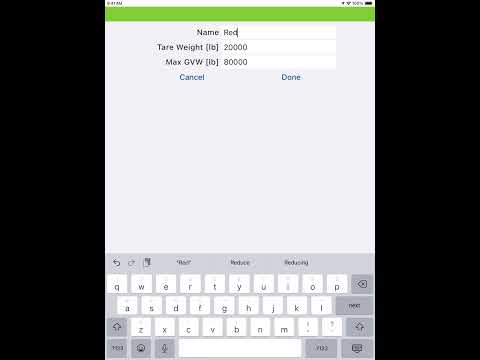
- Type in the truck name, truck tare weight, the truck’s max GVW, then tap Done .
Viewing Truck Details
The Truck Details include tare weight, max gross vehicle weight, current load, as well as all historical loads. To view the details and all of the transactions for a truck, tap the pencil icon
Need a hand? Central City Scale is an authorized Agrimatics distributor. Call 800-582-3175, Monday to Friday 8:00 to 5:00 Central, or go back to Libra Harvest help.